favgif: search, favorite, and post GIFs in Slack
favgif is a Slack app that lets teams search, favorite, and post GIFs to channels right inside Slack — without ever leaving the chat.
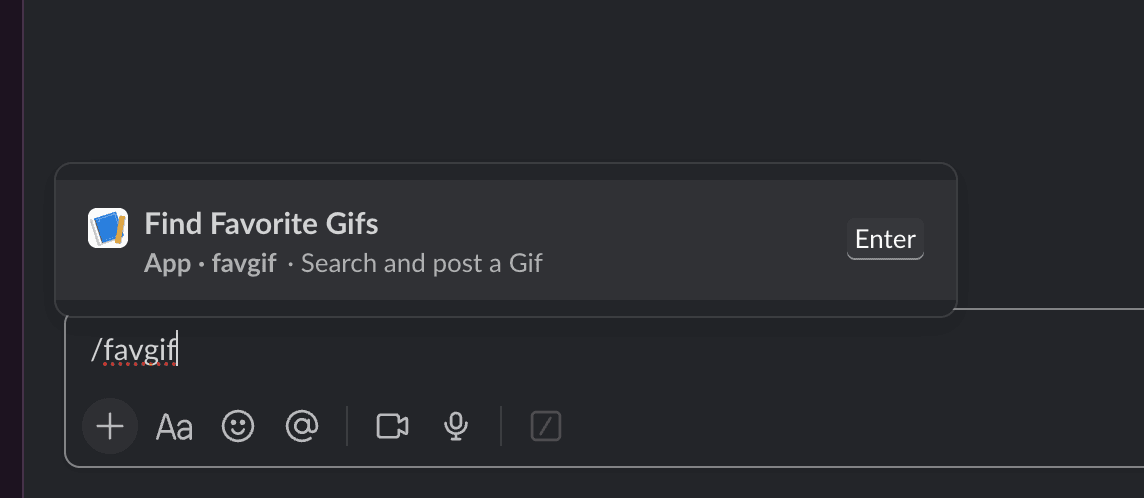
 Getting started with the
 /favgif slash command right from the message box
My Role
Solo project — product, Slack integration, and the entire backend.
What favgif Does
- Search via slash command or global shortcut — trending GIFs (Klipy) or targeted search (Klipy, Tenor)
- Post the chosen GIF to the channel the selection was opened from
- Favorites saved per user and workspace, ready to recall
- Insert a link — direct GIF URLs or Giphy pages are automatically normalized into a GIF file
- Pagination of results (Next/Previous)
 GIF selection in the modal — post straight to the channel with "Post"
 Quickly pick a favorite or insert one via link
Technical Challenges
- Backend as a single Edge Function — the entire Slack interaction logic (slash commands, shortcuts, modals, block actions) runs in one Supabase Edge Function (Deno), with Postgres for per-user favorites.
- Multiple GIF providers — Klipy, Tenor, and Giphy behind a unified interface, including normalizing Giphy page URLs into direct GIF files.
- Slack interaction model — cleanly mapping modals, pagination, and posting with the right channel context through Slack's interaction payloads.
Tech Stack
- Backend: Supabase Edge Function (Deno), Postgres
- Integration: Slack API (slash commands, shortcuts, modals, Block Kit)
- GIF sources: Klipy, Tenor, Giphy
- Language: TypeScript
Self-Hosting
Every workspace runs its own Supabase instance, Slack app, and GIF provider API keys — nothing is shared between workspaces.